 FreeMetrics
Your Jira data in BigQuery, kept current.
Install from the Atlassian Marketplace, paste a service-account key, pick your projects. Issues, history, worklogs, sprints and comments land in your dataset within minutes and stay in sync.
Straight from Jira to your Google Cloud project. Nothing in between to trust, host or pay for.
Set up in three steps
About ten minutes, done once. Everything happens on one screen inside Jira.
Create a service account
In Google Cloud, give it BigQuery Job User and Data Editor on one dataset. Download the JSON key.
Paste the key in Jira
The plugin checks the connection, finds your dataset location and creates the tables for you.
Choose projects and go
All projects or a few, optionally a JQL filter. The first backfill starts right away; the schedule takes over after.
One screen inside Jira
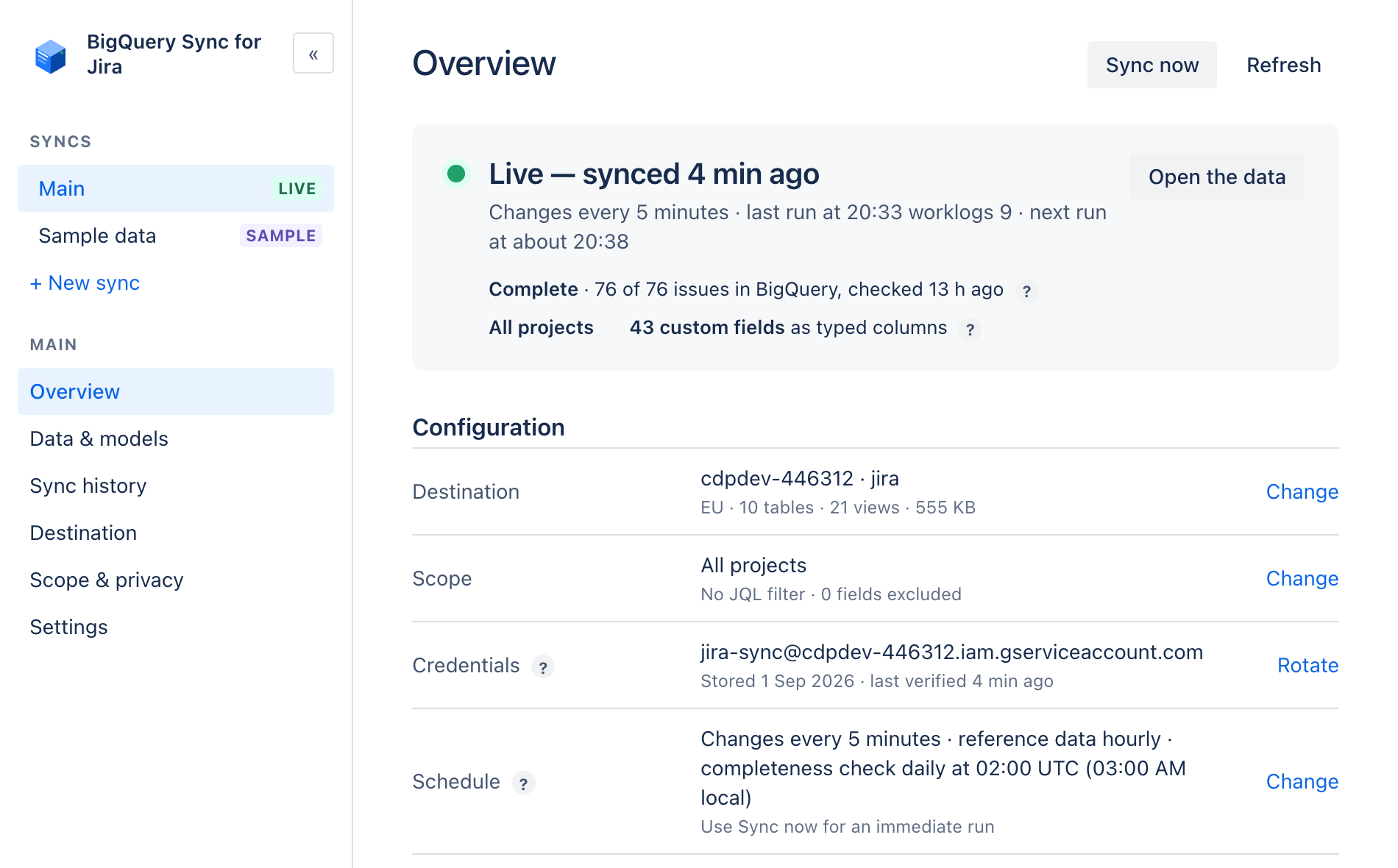
Status, run history, destination, scope and schedule — all on one page in Jira's admin. If something needs attention, it says so in plain words.
Every table, not a selection
16 tables and 11 views, created for you and kept in sync. Append-only history with _current views on top, so you can query the latest state or travel back in time. Partitioned and clustered so queries stay cheap.
16 tables — the raw data, complete
issuesall fields, custom fields as columnschangelogevery field change, who and whencommentsfull text, internal flag, deletionsworklogstime spent per person and daysprintsdates, goals, stateboardsscrum and kanbanprojectskeys, leads, categoriesusersnames and account idsstatuseswith status categoriesissue_typesincl. subtasks and epicsprioritiesyour priority scaleresolutionshow issues were closedfieldsid, name and type of every fieldversionsfix and affected versionscomponentsper-project componentslabelsevery label in use11 views — answers, ready to chart
Point Looker Studio, Tableau, Power BI or Metabase at your dataset and these views appear as ready-made data sources. Drag them onto a chart — no SQL, no modelling, no export.
issues_currentthe latest state of every issue, deleted ones excluded — the view your dashboards start fromtime_in_statushow long each issue sat in each status — find where work waitsstatus_transitionsevery move between statuses — cumulative flow and bottleneck chartsissue_cycle_timescreated → started → resolved per issue, in hours — lead and cycle time trendsthroughput_weeklyissues resolved per week per project — delivery pace over timesprint_reportcommitted, completed, added, removed per sprint — velocity without the spreadsheetepic_progressdone vs total children per epic — roadmap status at a glanceopen_issue_agehow old every open issue is — spot the ones going staleassignee_workloadopen issues and estimates per person — balance the teamworklog_hours_weeklylogged hours per person per week — timesheets and billingcomments_current & worklogs_current — latest comments and worklogs, joined to live issuesPrefer to own the models in your repo? The same logic ships as a dbt package.
Your data never leaves your hands
Nothing is exfiltrated, nothing is mirrored — and we couldn't peek even if we wanted to.
Nothing flows to us
The app writes from your Jira straight into your BigQuery — the only two hosts it can reach are Google's, hard-coded in a manifest Atlassian reviews on every release.
Developers can't see your data
FreeMetrics operates no servers. There is no place where your issues, comments or keys could land on our side — structurally, not just by policy.
Verifiable, not promised
Runs entirely on Atlassian Forge inside your site; credentials sit in Atlassian's encrypted storage; uninstalling wipes everything. Check the Privacy & Security tab — it's all declared there.
Built for the person who has to keep it running
Most connectors work on day one. This one is designed to still be right in month twelve.
Deletions are captured
Deleted issues, comments and worklogs are marked in BigQuery, so your totals match Jira.
New fields appear on their own
Add a custom field in Jira and it becomes a column on the next run. Nothing to reconfigure.
Several syncs per site
Different projects, datasets and schedules. Up to ten syncs, each with its own key if you like.
Large sites welcome
Backfills resume where they stopped and respect Jira rate limits. Hundreds of thousands of issues are fine.
Clear run history
Every run, what it wrote and how long it took. If something fails you see why, in plain words.
Your key stays yours
Stored encrypted in Atlassian storage, never shown again, removable in one click.
How it compares
Against the most used BigQuery connector on the Marketplace.
| BigQuery Sync for Jira | Other connectors | |
|---|---|---|
| Where it runs | Inside Atlassian (Forge), nothing else | Vendor servers between Jira and your cloud |
| Refresh | Every 5 minutes, plus nightly reconcile | Hourly or manual |
| Tables | All 16, always | Picked one by one per data source |
| History | Append-only with time travel | Overwrites |
| Models | Views and dbt package included | Extra |
| Support | Chat with the engineers, replies within hours (CET) | Ticket, 1–2 business days |
Try it on your own site
Free for 30 days, and free forever for up to 10 users. Cancel from Jira at any time.